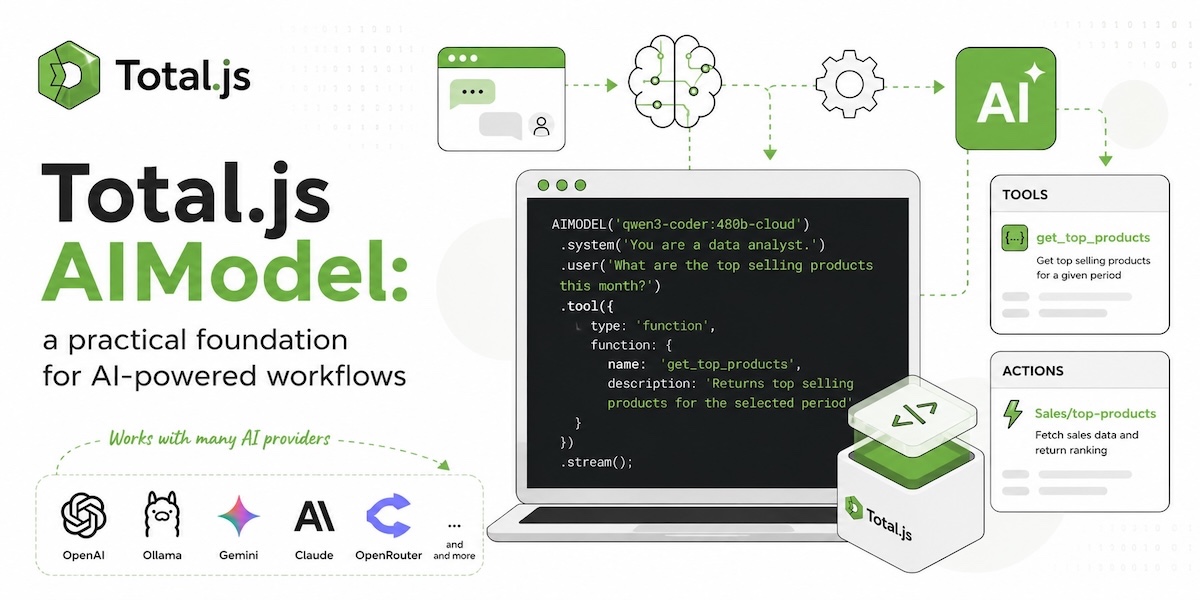
Total.js AIModel: a practical foundation for AI-powered workflows
AI is becoming part of normal business software. Not as an isolated chatbot, but as a feature inside real workflows:
- code generation
- translations
- support automation
- summaries
- internal assistants
- monitoring analysis
- content review
- document processing
- knowledge-base assistants
- tool-driven workflows
The important part is not only calling an AI provider. The important part is connecting the provider cleanly with the application.
Total.js AIModel gives developers a simple foundation for building AI-powered workflows directly inside Total.js applications. It provides named AI models, fluent message building, streaming, parsing, thinking output, contextual tools and controlled execution through Total.js actions.
The result is simple: you can build AI features without scattering provider-specific HTTP calls across your codebase.
One AI layer for your application
With AIModel, the provider implementation is registered once with NEWAIMODEL().
NEWAIMODEL('qwen3-coder:480b-cloud', function($, next) {
    // Provider-specific implementation
});
Then the application uses the model by name:
let response = await AIMODEL('qwen3-coder:480b-cloud')
    .system('You are a developer. Always return code only.')
    .user('Create a simple Node.js "Hello world" example.')
    .promise();
This is the main idea: the application does not need to know which HTTP endpoint, token, payload format or streaming format is used. That knowledge stays in the model registration.
This makes AI integration easier to maintain, easier to deploy and easier to change later.
Register once, use everywhere
NEWAIMODEL() can register one or more model names and keep custom configuration in one place.
NEWAIMODEL('qwen3-totaljs:8b', {
    url: 'http://localhost:11434/api/chat',
    temperature: 0
}, function($, next) {

    let opt = {};
    let parser = AIPARSER('ollama');

    $.payload.options = { temperature: $.config.temperature };
    $.payload.stream = true;
    $.payload.think = true;

    parser.on('content', function(event) {
        $.options.stream && $.options.stream(event.delta);
    });

    opt.method = 'POST';
    opt.url = $.config.url;
    opt.timeout = 100000;
    opt.custom = true;
    opt.type = 'json';
    opt.body = JSON.stringify($.payload);
    opt.callback = function(_, response) {
        response.stream.on('data', chunk => parser.write(chunk));
        response.stream.on('end', function() {
            let output = parser.end();
            next(null, output.content);
        });
    };

    REQUEST(opt);

});
Then any part of the application can use:
let response = await AIMODEL('qwen3-totaljs:8b')
    .system('You are a Total.js expert.')
    .user('Create a simple action for saving a contact.')
    .promise();
The provider can be local, private, cloud-hosted or OpenAI-compatible. The Total.js application calls a named model and keeps moving.
A fluent API for AI workflows
AIModel provides a practical fluent API for building conversations:
AIMODEL('qwen3-totaljs:8b')
    .system('You are a support assistant.')
    .user('The user cannot reset a password.')
    .assistant('Ask for more details and keep the answer short.')
    .user('The user says the reset email never arrives.')
    .promise();
This makes common AI tasks readable:
- generate code
- explain a log entry
- summarize a ticket
- translate text
- classify content
- prepare an answer
- extract useful fields from a customer request
AIModel becomes a normal building block in the application.
Streaming and thinking
Many AI features feel better when the response is streamed. AIModel supports streaming through .stream().
AIMODEL('qwen3-totaljs:8b')
    .system('You are a developer.')
    .user('Create a Total.js Flow component that triggers Hello World.')
    .stream(function(line) {
        console.log(line);
    });
For lower-level streaming integrations, Total.js also provides AIPARSER(). It can parse provider streams and expose useful events such as content, thinking and tool calls.
let parser = AIPARSER('ollama');

parser.on('thinking', function(event) {
    console.log('THINKING:', event.delta);
});

response.stream.on('data', chunk => parser.write(chunk));
response.stream.on('end', function() {
    let output = parser.end();
    console.log(output);
});
This is useful when a provider returns streamed chunks, reasoning output or tool-call instructions. Instead of writing a custom parser for every workflow, the parser becomes part of the Total.js AI layer.
Context-aware assistants
The real value of AI appears when it understands the application's own context.
Peter's example shows a simple and powerful pattern: store markdown contexts, parse them, and expose them to the model as readable files. The assistant can then ask for the exact context it needs.
let context = (await Total.readfile('context.txt', 'utf8')).parseContext();
let items = [];

for (let m of context) {
    items.push('- ' + m.name + ': ' + m.summary);
    AICONTEXT.push(m);
}

Total.actions['AI|Ask'].config.system += '\n\nThe possible file contexts to use are:\n\n' + items.join('\n');
A context file can contain rules for generating Flow components, PostgreSQL scripts, Total.js coding conventions or application-specific business rules.
This turns a generic model into a focused assistant for your product.
The most powerful part of AIModel is tool execution. In Total.js, tools can be normal NEWACTION() handlers.
The AI model does not execute application code directly. It asks for a tool call. Total.js builds the tool schema from the action input, calls the action and sends the result back to the model.
Here is a complete example:
require('total5');

const TOOLS = {};

NEWACTION('AI', {
    input: '*user,system,tools,model,think:Boolean',
    config: {
        ollama: 'http://127.0.0.1:11434/api/chat',
        model: 'qwen3-totaljs:8b'
    },
    action: function($, model) {

        let history = { messages: [], tools: [], limits: {} };

        model.system && history.messages.push({ role: 'system', content: model.system });

        if (model.tools) {
            let tools = model.tools.split(',').trim();
            for (let tool of tools) {

                let action = Total.actions[tool];

                if (!TOOLS[tool]) {
                    let schema = action.jsinput ? action.jsinput.aitool(tool) : {
                        type: 'function',
                        function: {
                            name: tool,
                            parameters: { properties: {}, required: [] }
                        }
                    };
                    schema.function.description = action.summary || action.name || tool;
                    TOOLS[tool] = schema;
                }

                history.limits[tool] = action.config?.limit == null ? 1000 : action.config.limit;

                if (action.config?.end)
                    history.end = tool;

                history.tools.push(TOOLS[tool]);
            }
        }

        history.messages.push({ role: 'user', content: model.user });

        let opt = {};
        let payload = {};
        let parser = AIPARSER('ollama');

        payload.model = model.model || $.config.model;
        payload.stream = true;
        payload.think = model.think;
        payload.messages = history.messages;
        payload.tools = history.tools;

        opt.method = 'POST';
        opt.url = $.config.ollama;
        opt.timeout = 100000;
        opt.custom = true;
        opt.type = 'json';

        opt.callback = function(_, response) {

            response.stream.on('data', chunk => parser.write(chunk));
            response.stream.on('end', function() {

                let output = parser.end();

                if (output.reasoning === 'tool') {

                    payload.messages.push({
                        role: 'assistant',
                        content: '',
                        tool_calls: output.tools.map(tool => ({
                            function: {
                                name: tool.name,
                                arguments: tool.arguments
                            }
                        }))
                    });

                    output.tools.wait(function(tool, next) {

                        history.limits[tool.name] -= 1;

                        ACTION(tool.name, tool.arguments).callback(function(_, response) {

                            if (tool.name === history.end)
                                output.END = response;

                            payload.messages.push({
                                role: 'tool',
                                name: tool.name,
                                content: JSON.stringify(response)
                            });

                            next();
                        });

                    }, function() {
                        if (output.END) {
                            $.callback(output.END);
                        } else {
                            parser.reset();
                            opt.body = JSON.stringify(payload);
                            REQUEST(opt);
                        }
                    });

                } else
                    $.callback(output);
            });
        };

        opt.body = JSON.stringify(payload);
        REQUEST(opt);

    }
});
This creates a complete AI workflow:
- The user asks a question.
- The model decides it needs a tool.
- Total.js validates and executes the action.
- The tool result is sent back to the model.
- The model produces the final answer.
That is how AI moves from "chat" to real application automation.
Full test
The following actions are enough to test the functionality. The model can call Math|add and then finish the workflow with AI|done.
NEWACTION('Math|add', {
    summary: 'Adds two numbers.',
    input: '*a:Number,*b:Number',
    config: { limit: 5 },
    action: function($, model) {
        $.callback({ value: model.a + model.b });
    }
});

NEWACTION('AI|done', {
    summary: 'Finishes the AI workflow with the final answer.',
    input: '*response',
    config: { end: true, limit: 1 },
    action: function($, model) {
        $.callback(model.response);
    }
});

ACTION('AI', {
    user: 'Use tools and calculate 20 + 22. Finish with AI|done.',
    system: 'You are a math assistant. Always use available tools.',
    tools: 'Math|add,AI|done',
    think: true
}).callback(function(_, response) {
    console.log(response);
});
This example is intentionally small, but the same pattern can execute any Total.js action: read a document, search a database, create a ticket, call an internal API or generate a Flow component.
Memory for conversations
AIModel workflows can also keep conversation history.
let history = AIMEMORY[model.id];

if (!history) {
    history = AIMEMORY[model.id] = {
        expire: NOW.add('15 minutes'),
        messages: [],
        tools: []
    };
}

history.messages.push({ role: 'user', content: model.content });
This makes it possible to build assistants that remember the current session, keep context for a customer, continue code-generation tasks or guide an operator through a workflow.
The memory can expire automatically:
ON('service', function() {
    for (let key in AIMEMORY)
        if (AIMEMORY[key].expire < NOW)
            delete AIMEMORY[key];
});
Again, the application remains in control.
What you can build
With AIMODEL, NEWAIMODEL and AIPARSER, Total.js applications can support many AI-powered features:
- a coding assistant trained with project rules
- a Flow component generator
- a PostgreSQL script assistant
- a support-ticket summarizer
- a documentation assistant
- a translation workflow
- a product-search helper
- an incident-analysis assistant
- a back-office operator assistant
- a controlled automation layer with Total.js actions as tools
This is the practical potential of AIModel. It is not only a wrapper around an AI provider. It is a foundation for AI-powered workflows inside real applications.
Conclusion
Total.js AIModel gives developers a clean, lightweight and flexible way to add AI capabilities to Total.js applications.
NEWAIMODEL() keeps provider integration in one place. AIMODEL() gives the application a simple fluent API. AIPARSER() handles streaming, thinking output and tool calls. Total.js actions can become controlled AI tools.
The result is a practical architecture for building AI features that are useful, maintainable and ready for real business software.